Global Settings
Global settings is where you can access any of the features that are global to all banks on the Unity6. To access the Global Settings, simply press the middle of the Home Screen then press the Global Settings icon (shown below).
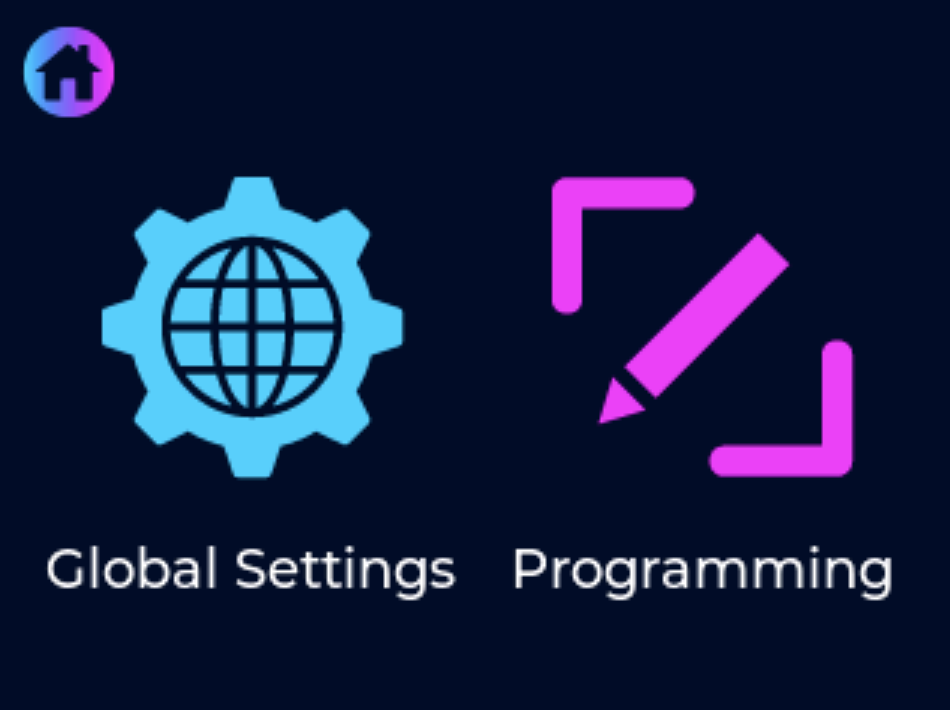
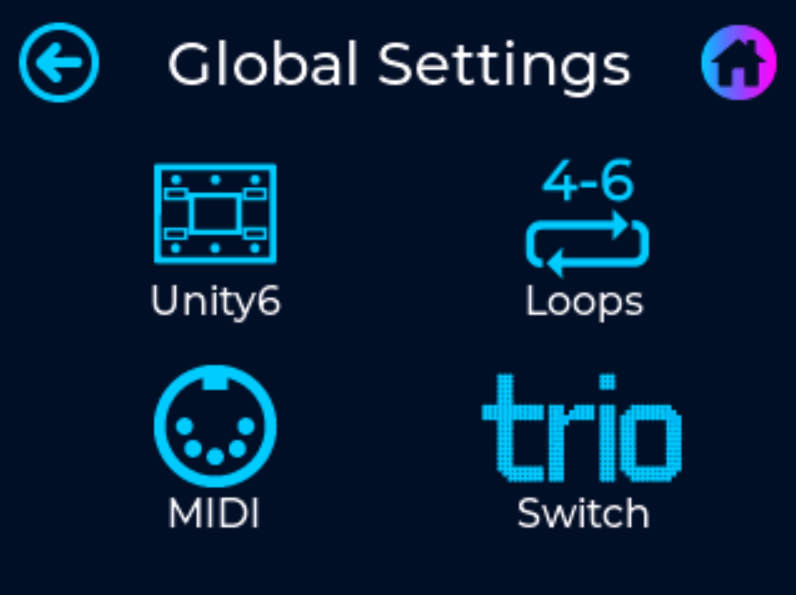
Once inside the Global Settings Menu you can choose between the followings settings:
- Unity6 - select to access the global settings for general Unity6 features
- Loops - select to access the global settings for the 6 loops within the Unity6
- MIDI - select to access the global settings for general midi features
- Trio - select to program the u6 Trio switch extender. For detailed information on Trio programming go here
Unity6 Global Settings
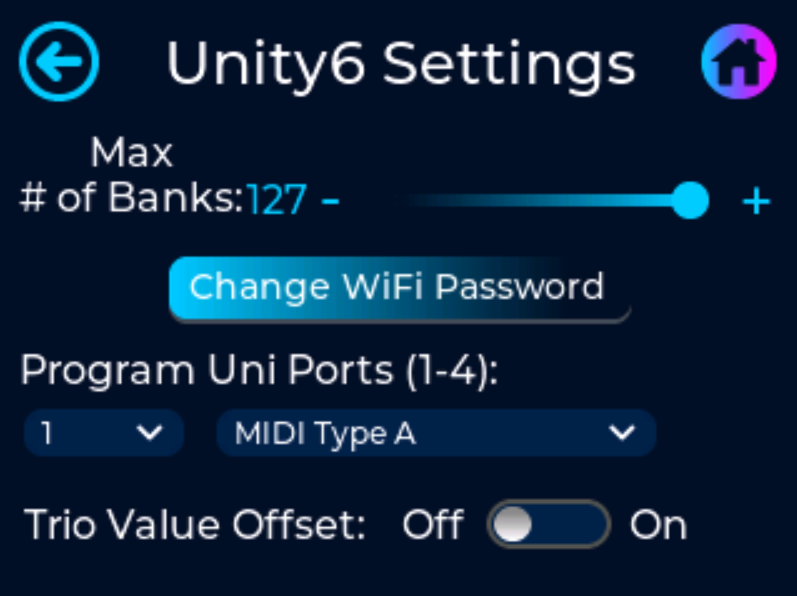
- Max Number of Banks
- This is where you can select the maximum number of banks the pedal will scroll though when using the footswitches. This only affects the number of banks when scrolling using the footswitches. You can always use a message type to jump to any bank outside of this limit.
- Change WiFi Password
- Select to change the WiFi password stored within the Unity6. Follow the on screen prompts to successfully change the password.
* Default password from the factory is '12345678'
* New password must be at least 8 characters long
- Select to change the WiFi password stored within the Unity6. Follow the on screen prompts to successfully change the password.
- Program Uni Ports
- This sets the functionality for each Uni Port 1 thru 4. See here for the complete list of functionality for each UniPort
Loops Global Settings
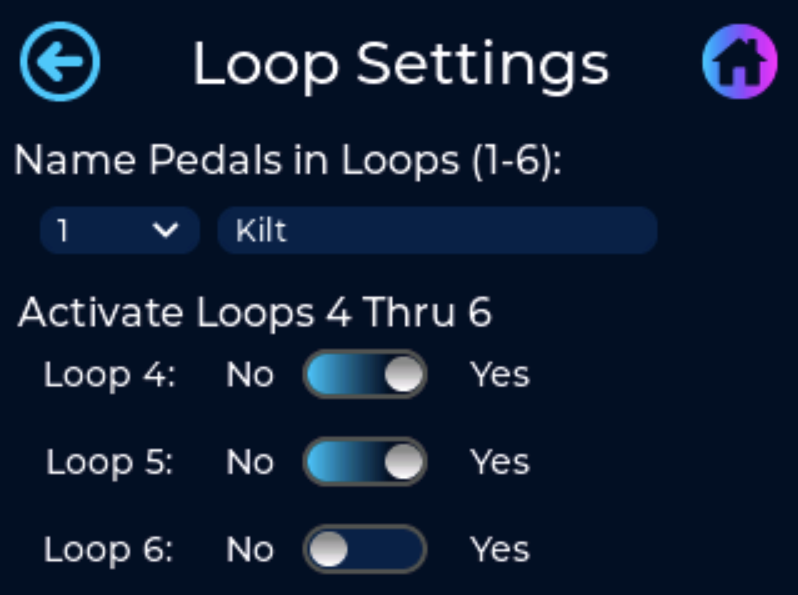
Used to name each individual loop and to activate loops 4 thru 6. If any of these are not activated, assigning a message to a preset to turn any of these loops on/off will not work.
- Assign Pedals to MIDI Channels
- Select the loop number and press the text box to name the pedal that is wired in the corresponding loop. There is a 12 character limit when naming your loop
MIDI Global Settings
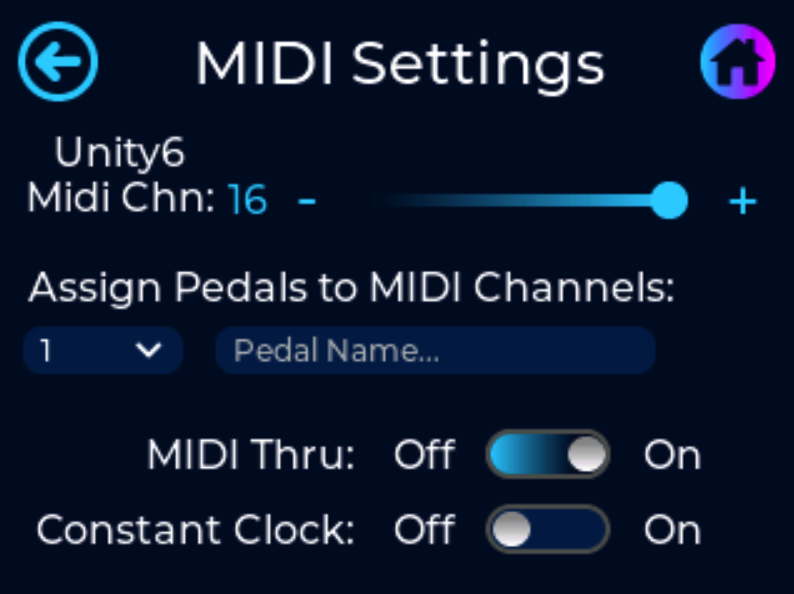
- Unity6 MIDI Channel
- Select the MIDI channel that the Unity6 will respond/listen to when receiving MIDI messages from external devices such as other MIDI controllers or via Bluetooth.
- Assign Pedals to MIDI Channels
- Select the MIDI channel and press the text box to name the pedal programmed to its corresponding MIDI channel. There is a 16 character limit when naming your pedal
- MIDI Thru
- Turning MIDI Thru on will pass all incoming MIDI messages, received at the MIDI Input jack, though to the MIDI Output jack. If this feature is turned on AND you have created a complete loop with your MIDI chain, this will create an infinite MIDI loop and will lock up your pedal.
- Constant Clock
- Turning on Constant Clock will make the Unity6 continuously send a MIDI clock pulse. This is required if using any pedal that requires a consistent MIDI clock signal, like the HX Stomp.
- Turning off Constant Clock will make the Unity6 send MIDI clock for 3 seconds (long enough to sync all of your pedals) and then stop sending the clock pulse. Every time the BPM is changed on the Unity6 the clock pulse will send for 3 seconds and then stop again. This feature is useful if your pedalboard/wiring is bleeding clock signal into your audio path and can reduce/eliminate the added noise.